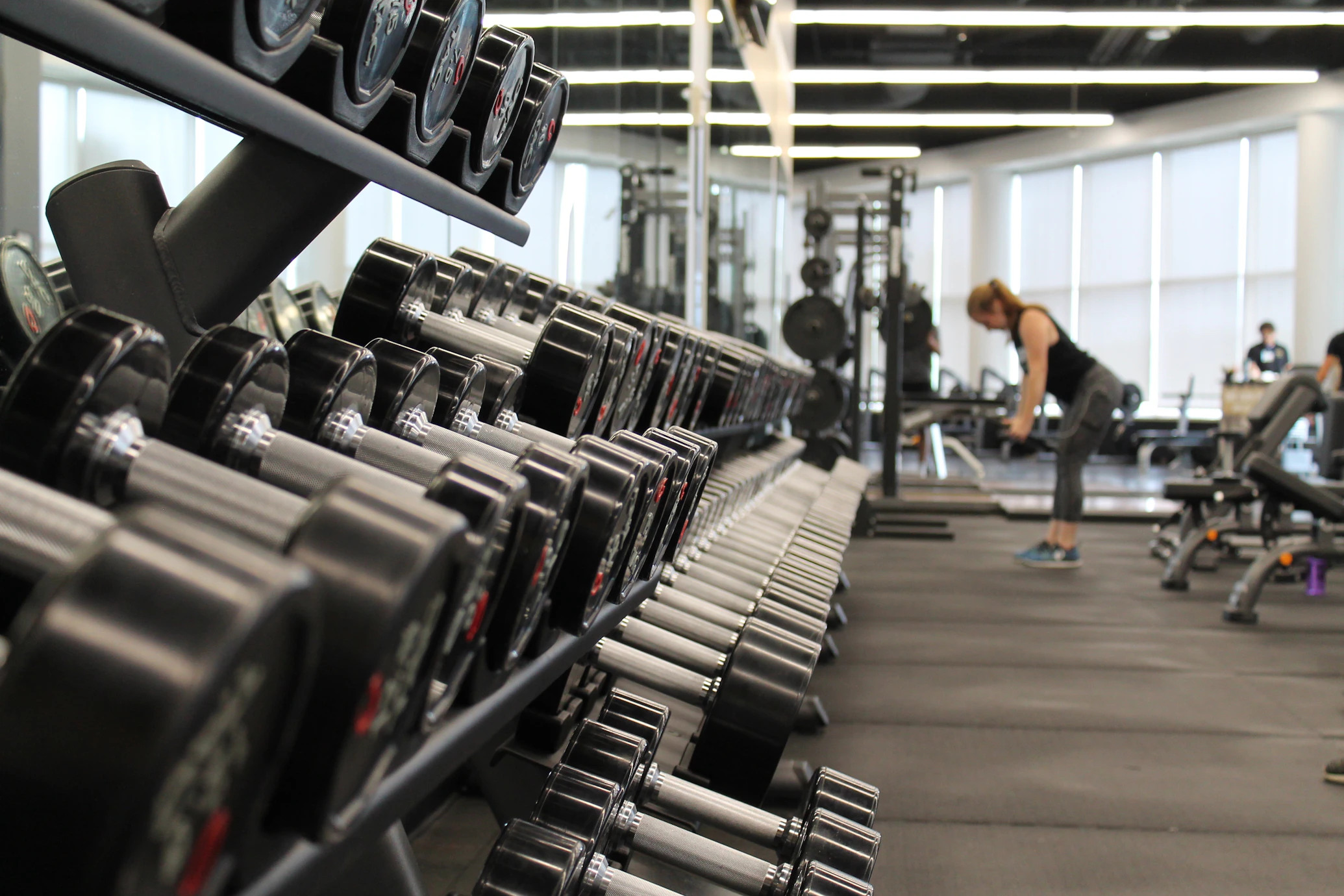
Fitness background

Train with
Fitness Edge

Vibefit Plus uses on-device AI pose detection to count your reps, plus fasting, hydration and body-metric tracking - all in one app.

This page explains every feature in plain language: who it's for, what you get out of it, what to watch out for, and how to prepare - so you can decide what's right for you before you start.

Get The App

Scan to download Vibefit Plus on Google Play

Scan with your phone's camera to open Vibefit Plus on Google Play

Follow Vibefit Plus

Workout tips, feature updates, and behind-the-scenes progress.

Built For You?

Who Vibefit Plus Is For

Home & Gym Solo Trainees

No workout partner or wearable needed - prop your phone up and let the camera count your reps or your timer track your hold.

Time-Crunched Beginners

Sessions that fit a lunch break or a gap before work - pick a small rep target and build the habit before you build intensity.

Structured Intermittent Fasters

Fasting and hydration tracked together in one place, with reminders that automatically adjust while you're fasting.

Privacy-Conscious Users

Camera processing happens on your device, and your history lives in an encrypted local database - not on someone else's server.

Progression Seekers

Start with Calisthenics (Squats, Push-ups, Planks) and work up to the Conditioning missions once you have a base.

Not Built For

Children under 13; anyone who needs supervised medical rehab or physical therapy instead of self-directed training; or anyone looking for a clinical/diagnostic tool rather than an estimation-based fitness tracker.

No Hour-Long Gym Trip Required

What 20 Minutes Can Do

Calisthenics Combo

  • 50 Squats + 50 Push-ups + 50 Jumping Jacks back-to-back, AI-counted, with rest between sets

A Full MOEM Set

  • The default MOEM format - 10 rounds of a target rep count at the start of every minute

A 3-Round Circuit

  • Your own custom exercise sequence, repeated for the default 3 rounds with rest between steps

A Staircase Climb

  • The app's 10-minute preset, plus warm-up and cool-down either side

You don't need an hour at the gym to get a session in - pick a target, let the app count your reps or hold your timer, and you're done in about the time it takes to answer a few emails. What you actually get out of any single 20-minute session (calories, fitness gains) depends on your own effort, body, and consistency over time - the app's History page will show you your own estimated numbers session by session.

This is general information about how the app's workout formats are structured, not a promise of specific fitness or health results. See Safety & Medical Disclaimer below.

On-Device AI

AI-Powered Rep Counting

Squats, Push-ups, Jumping Jacks, Burpees, Lunges and Sit Ups are counted automatically as you move, using real-time pose detection that runs entirely on your phone (Google's MediaPipe). Your phone's camera becomes a rep counter and form-state tracker - no wearable, no internet connection, and no video ever leaves your device.

Who Can Use It

  • Anyone comfortable performing bodyweight squats, push-ups, jumping jacks, burpees, lunges, or sit ups
  • Beginners through advanced - you set your own rep target and pace, the app just counts
  • Best suited to a solo home or gym workout with a free-standing phone

Benefits

  • Hands-free counting so you focus on the movement, not counting in your head
  • 100% on-device processing - your camera feed never touches our servers
  • Works fully offline, no account required
  • Live feedback on your form state as you move through each rep

Precautions

  • The AI reads body angles, not injuries - it can't tell you a movement is unsafe, only whether it matched the tracked motion
  • Poor lighting, baggy clothing, or an unusual camera angle can cause missed or extra rep counts
  • Get medical clearance first if you have a wrist, shoulder, knee, neck, or back condition
  • Not a substitute for in-person coaching if you're completely new to these movements

How to Prepare

  • Squats, Lunges & Burpees: phone at waist height, 6-8 ft away, side-on to your body
  • Push-ups & Sit Ups: phone at floor level, 6-8 ft away, side-on
  • Jumping Jacks: phone at chest height, 8-10 ft away, facing you directly
  • Wear fitted clothing, train in a well-lit space, and clear at least 6x6 ft around you
"Exercise in a safe environment. Consult a physician before beginning any high-intensity program." — Vibefit Plus, in-app disclaimer

Countdown Timer

Timed Hold Training

Plank and Wall Sit are isometric holds tracked with a simple on-screen countdown rather than the camera - pick a target duration, hold the position with good form, and the timer does the rest.

Who Can Use It

  • Any fitness level - you choose your own target duration
  • Good starting point for building core (Plank) or lower-body (Wall Sit) endurance
  • Less suitable if you have wrist pain (Plank) or knee pain (Wall Sit)

Benefits

  • Builds isometric core and lower-body strength and endurance
  • No camera setup required - just start the timer
  • Minimal equipment: Plank needs none; Wall Sit just needs a flat wall

Precautions

  • Plank: keep a straight head-to-heel line - a sagging or piked hip increases lower-back strain
  • Wall Sit: keep knees directly above ankles - knees pushing past your toes increases joint stress
  • Stop for sharp joint pain - that's different from normal muscle fatigue, which is expected

How to Prepare

  • Pick a duration you can hold with good form, not your absolute max, especially early on
  • Breathe steadily throughout - never hold your breath during the hold
  • Wall Sit: make sure the wall and floor surface are stable and non-slip
"Exercise in a safe environment. Consult a physician before beginning any high-intensity program." — Vibefit Plus, in-app disclaimer

Advanced Formats

Conditioning Missions

The app's most demanding workout formats - paced or duration-based challenges rather than simple rep counters, built for users who already have a calisthenics base:

Who Can Use It

  • Users already comfortable with the base calisthenics movements and with a reasonable cardiovascular baseline
  • Not recommended as a first-ever workout if you're new to exercise

Benefits

  • High-intensity conditioning for cardiovascular fitness and muscular endurance
  • Flexible formats - build-your-own Circuit and choose-your-exercise MOEM let you tailor intensity

Precautions

  • Get medical clearance first if you have any heart, joint, or respiratory condition, are new to exercise, or haven't trained in a while
  • Staircase specifically needs a safe, well-lit staircase with a handrail and no loose footing or clutter
  • Tabata's 20-second work intervals are fixed and can't be paced down mid-round - don't sacrifice form for speed as fatigue builds
  • Stop immediately for chest pain, dizziness, or shortness of breath beyond normal exertion

How to Prepare

  • Warm up before starting any Conditioning session
  • Staircase: use the handrail and keep a steady pace rather than rushing
  • Weighted Staircase: start with little or no added weight until you know how your body responds
  • Keep water nearby - these are longer, sustained-effort sessions (see Hydration below)
"Exercise in a safe environment. Consult a physician before beginning any high-intensity program." — Vibefit Plus, in-app disclaimer

30-Day Fixed Missions

Challenges

Enlist in a 30-day mission built around one exercise, and Vibefit Plus tracks every single day on a real calendar - hit that day's target once and the day turns green. Only one challenge can be active at a time, so enlisting means committing to see it through.

Who Can Use It

  • Users already comfortable with the base exercise - burpees, push-ups, or Navy Seal burpees - who want a structured 30-day commitment
  • Not a good first-ever workout if you're new to exercise; build a base with Conditioning above first
  • Pick one mission at a time - you can't run two challenges at once

Benefits

  • A real month-grid calendar, not just a streak number - see exactly which days were completed, partial, or missed
  • A Challenge History screen keeps every finished mission, with a days-completed count you can look back on
  • The Dashboard surfaces your active mission right on the Recent Workouts card, so resuming today's session is one tap
  • A day only counts once your session actually meets that day's target - reps, and pace where it applies

Precautions

  • These are among the app's most demanding formats - two build on Conditioning-level burpees and push-ups, the third adds a fixed pace requirement
  • The 30-day window runs on a fixed calendar from your enlist date - missing a day marks it Missed rather than pausing the clock
  • Get medical clearance first if you have any heart, joint, or respiratory condition, are new to exercise, or haven't trained in a while

How to Prepare

  • Confirm you can already comfortably complete the base exercise before enlisting
  • Pick a consistent time of day so the daily session becomes routine
  • Check in on the Challenges screen daily so a missed day doesn't catch you off guard
"Exercise in a safe environment. Consult a physician before beginning any high-intensity program." — Vibefit Plus, in-app disclaimer

Optional & Off By Default

Workout Video Recording

Turn on "Record Workout" before a Squat, Push-up, Jumping Jacks, or Burpees session to save a video of yourself training. Nothing is uploaded anywhere - the file is encrypted on your device the moment recording stops, and only briefly decrypted to play back or export it.

Who Can Use It

  • Anyone who wants to review their own form after a session
  • Entirely opt-in - off by default, and requires camera + microphone permission

Benefits

  • Review your form afterward, like having a coach's playback
  • Recordings stay private - encrypted at rest, never sent to our servers
  • Export to your device's gallery whenever you choose to

Precautions

  • Uses noticeably more battery and storage than a normal workout session
  • Exporting a video to your gallery requires watching a short ad first - this is how the free export is funded; declining just leaves the video in the app

How to Prepare

  • Check you have enough free storage before longer or repeated sessions
  • If others might walk into frame, consider their privacy before recording
  • Delete recordings you no longer want - deletion is permanent and can't be undone

14:10 · 16:8 · 18:6 · 20:4 · OMAD · Custom

Intermittent Fasting Tracker

Set a fasting target (or build a recurring daily/weekly/monthly schedule) and Vibefit Plus tracks elapsed time, shows educational fasting-stage milestones (e.g. Fat Burning, Ketosis, Autophagy) and an estimated electrolyte status, with reminders as your goal approaches.

Who Can Use It

  • Adults who've already decided intermittent fasting is right for them
  • Talk to a doctor first if you are: pregnant or breastfeeding, under 18, diabetic or prone to low blood sugar, currently or previously managing an eating disorder, on medication with food-timing requirements, or living with any ongoing medical condition

Benefits

  • Clear countdown/progress toward your target, plus recurring schedules so you don't re-set a fast by hand
  • Stage milestones add educational context to what's happening as your fast progresses
  • A reminder 30 minutes before your goal, so you can plan how you'll break the fast

Precautions

  • All stage timelines and electrolyte status are generalized educational estimates, not a measurement of your actual biology - individual transitions vary significantly
  • Fasts beyond 24 hours carry more risk - the app itself prompts you to talk to a doctor before attempting these
  • Stop and eat if you feel seriously unwell at any point (see warning signs below)

How to Prepare

  • Hydrate well in the 24 hours before a longer fast, and ease off caffeine and sugar the day before
  • If you take medication, check with a doctor about timing it around your fast
  • Plan your eating window and your first post-fast meal in advance
  • Break a fast gently: a small, easy-to-digest food first, then a balanced meal 15-20 minutes later, avoiding sugary or heavily processed carbs at first

Stop and consult a doctor if you experience:

Severe dizziness or fainting, confusion, heart palpitations or chest pain, severe nausea or vomiting, extreme weakness, shaking or cold sweats, or any symptom that feels seriously wrong.

"For informational purposes only, not medical advice. Consult a doctor before extended fasting." — Vibefit Plus, in-app disclaimer

Personalized Goals & Smart Reminders

Hydration Tracker

Vibefit Plus suggests a daily water goal based on your body weight (about 35ml per kg, or 2000ml if weight isn't set), lets you log any drink type in your preferred cup size, and reminds you throughout the day - automatically more often while you're fasting, since hydration matters more, not less, while you're not eating.

Who Can Use It

  • Everyone - especially useful alongside the Fasting tracker

Benefits

  • A goal personalized to you, or fully customizable if you'd rather set your own
  • Log water, coffee, tea, juice and more - not just plain water
  • Quick-add buttons right on the reminder notification - no need to open the app
  • Reminders speed up automatically during an active fast

Precautions

  • The suggested goal is a general estimate - it doesn't account for climate, exertion level, or medical conditions
  • If you have a heart, kidney, or other condition requiring restricted fluid intake, follow your doctor's guidance over the app's suggestion and set a custom goal instead

How to Prepare

  • Enter your weight in your Profile for a personalized goal, or switch to a custom goal in Hydration Settings
  • Enable notifications if you want reminders
  • Pick your usual cup size (or a custom one) so logging is a single tap
"Goal suggestions are estimates; individual needs vary by climate and exertion." — Vibefit Plus, in-app disclaimer

BMI & Body Fat %, Tracked Over Time

Body Composition & Metrics

Enter your height, weight, and a few tape measurements (waist, neck, and hip for women) and Vibefit Plus calculates your BMI and an estimated body fat percentage (U.S. Navy method), then tracks both as a weekly trend.

Who Can Use It

  • Adults who want to track body composition trends over time - alongside, not instead of, regular medical checkups

Benefits

  • See trends over weeks/months rather than a single snapshot
  • No special equipment beyond a tape measure and a scale
  • Private - measurements stay in your local encrypted database (and your own Drive backup, if enabled)

Precautions

  • Both BMI and the Navy body-fat method are mathematical estimations, not clinical measurements
  • Can be noticeably less accurate for very muscular or very lean individuals
  • Not a substitute for a DEXA scan or a clinician's assessment; there's no age field, so results aren't age-adjusted

How to Prepare

  • Measure at the same time of day for consistency (e.g. first thing in the morning)
  • Measure waist at navel level (men) or at the narrowest point (women), per the in-app guidance
  • Re-measure on a regular cadence (e.g. weekly) - day-to-day fluctuation is normal and not meaningful on its own
"Metrics are mathematical estimations and not clinical measurements." — Vibefit Plus, in-app disclaimer

Every Session, Tracked

History & Calorie Analytics

Every completed workout is logged with its reps, duration, or rounds, plus an estimated calorie burn (using a standard MET-based exercise-science formula), viewable as a 30-day chart or a day-by-day list - alongside any saved recordings.

Who Can Use It

  • Everyone using the workout tracker

Benefits

  • Motivating day-by-day and 30-day view of your activity
  • Calorie estimates use an established formula (MET × weight), not a guess
  • One place to find and rewatch past recordings

Precautions

  • Calorie estimates depend on standard formulas and your logged body weight
  • Actual burn varies by individual metabolism and effort - treat these as a guide, not a precise clinical number

How to Prepare

  • Keep your weight up to date in your Profile for more accurate estimates
  • Check in on your History regularly to stay motivated and spot patterns

Hydration, Fasting & Workout Alerts

Smart Notifications

Vibefit Plus can remind you to drink water, tell you when a fasting stage or goal is reached, warn you 30 minutes before a scheduled fast starts, nudge you once a day at a time you choose if you haven't worked out yet, and keep an ongoing workout visible in your notification shade so you can leave the app mid-session without losing track of time.

Who Can Use It

  • Everyone - each reminder type can be turned on or off independently in Settings

Benefits

  • Quick-add water intake straight from the notification, no need to open the app
  • Fasting reminders warn you ahead of your goal and ahead of a scheduled fast starting
  • Daily workout reminder at a time you pick, to help you build a consistent habit
  • The workout-timer notification lets you switch apps mid-session without losing progress

Precautions

  • Some phone manufacturers aggressively kill background apps, which can silently stop reminders from firing

How to Prepare

  • Grant notification permission when prompted
  • Turn on the daily workout reminder and pick a time from the gear icon on the Workout screen
  • If reminders feel unreliable on your phone, check the relevant Settings screen for the background-reliability option and allow the app to run unrestricted in the background

Your Data, Your Drive

Encrypted Google Drive Backup

Back up your entire encrypted workout, hydration, and fasting history to your own Google Drive account with one tap, and restore it on a new device or after a reinstall. Switch on daily automatic backup and it keeps itself up to date overnight.

Who Can Use It

  • Anyone who wants to preserve their history across a phone upgrade or reinstall
  • Requires a Google account

Benefits

  • One-tap manual backup and restore
  • Optional daily automatic backup - runs overnight on its own once switched on, no need to open the app
  • Already encrypted before it leaves your device, stored in a private area of your Drive not visible in the regular Drive app or to any other app

Precautions

  • Does not include recorded workout videos - only your workout/hydration/fasting history
  • Requires an internet connection to back up or restore - an automatic backup waits for one rather than failing
  • After restoring, you'll need to restart the app for the restored data to load

How to Prepare

  • Back up before uninstalling the app or switching phones
  • Download any recordings you want to keep separately, since they're not included
  • Make sure you're signed into the same Google account when restoring on a new device

How It Stays Free

Ad-Supported, Free to Use

Vibefit Plus is free to use and supported by ads shown at natural breakpoints - after certain workouts, or as an optional trade-off for unlocking a video download.

Who Can Use It

  • All users - the app is not directed at children under 13, and ads are not configured for child-directed treatment

Benefits

  • The entire feature set - AI tracking, fasting, hydration, backup - stays free
  • You only see a rewarded ad when you specifically choose to unlock a video download

Precautions

  • If you're in the EU/UK, you'll be asked to consent to personalized ads on first launch, in line with GDPR

How to Prepare

  • Nothing needed - you can change your ad-personalization choice any time from More → Privacy Options
  • See our Privacy Policy for full details on what's collected and why

Read This First

Safety & Medical Disclaimer

Vibefit Plus is provided for informational and fitness-tracking purposes only. It is not a medical device, and nothing in the app is intended to substitute for professional medical advice, diagnosis, or treatment. Always talk to your physician or another qualified health provider about any questions you have regarding a medical condition, before starting a new exercise or fasting routine.

All calculations shown in the app - rep counts, calorie burn, fasting stages, and body-composition metrics - are estimations. They are informational markers, not exact or clinically validated measurements.

Consult a doctor before you start if you are:

Stop immediately and seek help if you experience:

For details on what data Vibefit Plus collects, how it's stored, and your rights over it, see the Privacy Policy.